Showing posts with label Systems. Show all posts

How to Get More Done Everyday

Posted by yanti on Sunday, December 14, 2014


There are a lot of things to like about the month of December. Christmas, for example. And Christmas music. And Christmas lights... and stockings and... SANTA! But if I had to choose one December thing that I could do without, it would be the cold weather!

Cold weather and I do not get along. And neither do I and these ridiculously short days... I need sunlight! And warm weather! And to be able to walk outside without putting on every piece of clothing I own. *sigh*

Ever since the November weather took a turn for the freezing (literally, I've already seen ice), my productivity has taken a turn for the nonexistent. Well, that just isn't going to work for me. I need a plan to get my life together, no matter what excuses I may make for myself (and believe me, I am never at a loss for a good excuse)! 

The Plan:


1. Write down everything that happens in your normal daily routine.

WHY: From the time you wake up, you have different little routines throughout the day. A morning routine, an after work routine, a dinner routine. And just because they are �routines� does not mean that they are GOOD ones! For example, I used to have a really *horrible* after work routine of putting my stuff down to �put away later� and spending about an hour on Facebook/Instagram/Pinterest. Once I wrote it down and realized how much time I was WASTING, I was able to clean that up real quick!

HOW: I don't know anyone who feels like they "have enough time"... you know what I mean? Like, everyone feels overwhelmed by the amount of things to do in the amount of time they "have". However, actually writing down your daily routines can really help you find out just why it is that you never have enough time. In this really amazing article by Personal Organizing Expert, Elizabeth Larkin, she discusses how she discovered imbalances in her own time management and the steps she took to fix them!


2. Highlight the unnecessary/useless activities. 


WHY: So, in the above example, my unnecessary activities were obviously all of the time I was spending on social media. And I love social media. But it is the ultimate time waster! Because I feel the need to schedule everything in my life, I created a sort of social media schedule for myself where I don�t get on it between certain hours. This has really been super helpful for breaking my bad routine! Set some rules for yourself to break your own bad habits. After all, no one knows you better than you do!

HOW: You know that saying that hindsight is 20/20 (or 50/50 in Cam Newton's case)? Well, when you look back at how you spent your day, that hindsight really kicks in. "WHAT? How could I have possibly spent 30 minutes staring blankly into my closet before deciding to wear?" And don't even get me started on Facebook/Instagram/Pinterest/Tumblr./Twitter... holy cow! Mark up that paper where you wrote your daily routine as if you're grading the worst paper ever written. Be harsh on yourself. This is how you're gonna get some of your time back!

(here's an awesome post on 15 sneaky time-wasters we all deal with!)


3. Create a list of things you would have liked to get done or would like to add. 


WHY: Oh, you're not done with that hindsight yet! Now make a little list of things that you wish you had gotten done! By the way, this is a big part of procrastination, too! Yep, we put off things that would be pretty simple to complete just because we don't want to. A perfect example from my life is calling the dentist. Y'all. I recently put off scheduling a dentist appoint for 2 months. I mean, I just put off making the call to schedule the appointment. Do you have something like that that just gets moved from list to list? Tell yourself tomorrow is the day you call the dentist (or whatever).

HOW: So, once you are aware of where your time is being wasted, go ahead and make a little list of PRODUCTIVE things that you would like to use that newly found time for! You could probably get 3 days' worth of to-do's done in 1 day, if you really tried! Think about your long-term to-do's. Do you need to e-mail your advisor about something? Send a resume out somewhere? Sign up for yoga classes again? Or get your oil changed? ...or call the dentist? Look at that list of tedious, totally procrastination-worthy tasks and get ready to kick its butt!

(you know I love tips on how to make a great to-do list and this post from LifeHacker is perrrrfect!)


4. Tomorrow, try to replace one useless activity with one useful one. 


WHY: Baby steps. I am a big, big fan of baby steps, aren't you? Like, maybe if I just skip the 3 minutes that I would spend taking one of those ridiculous Facebook quizzes that I love so much (according to said Facebook quiz results: the city I "belong" in is San Francisco... the state I "belong" in is Virginia... the country I "belong" in is Italy, by the way. However, that geography has been a little hindering, so I'm still here in Memphis). Anyway, taking baby steps like replacing one activity with another is simple and it will help us slowly build better habits for the future!

HOW: Beginning tomorrow, just replace one of those ineffective activities with something useful and productive! This way it�s not completely impossible feeling� it�s just one little thing! Most people perform cognitive tasks best between the hours of 9 and 11 AM. That's the optimal time for "working", so tell yourself this: Absolutely NO social media (or whatever your vice is) between those hours. Use them solely for producing the thing that you are supposed to produce! Not even a little tweet. That newsfeed will be there after you complete your to-do list! <-- my daily mantra.

(Tiny Buddah has a great post on taking baby steps to achieve your goals, here!)


5. Keep sneaking the productive activities in (one a day) until they become habits!


WHY: This is effective because it allows you to build your confidence in your productivity and keep setting goals to get better. We all fall into bad habits... even the most organized, productive person you can think of is at risk for a bad habit or two. So, we just have to keep working hard to get better and better each day!

HOW: As you move through the days, try to keep replacing that useless time with something productive! Not only will you accomplish more each day, but you�ll feel less rushed while doing it! It�s a total win-win! What if you just look at the weather and pick out an outfit the night before? Would that save some valuable time in the morning? Or even planning out meals so that you aren't spending 30 minutes binge eating on everything in sight the moment you get home from work? (totally not an example from my real life at all...)


Hopefully, this will {at least} get us moving in the right direction for some MORE PRODUCTIVE HOLIDAYS!!! YAY! :)


What are some tips for productivity that you have? Or something that you would like to start doing? And how do you deal with the loss of our dear Daylight Savings Time? 
More aboutHow to Get More Done Everyday

A Look Inside Organized Charm's New Etsy Shop!

Posted by yanti on Friday, November 21, 2014


Last week, I made a pretty big announcement. Who decides to throw an Etsy shop into the mix with finals rapidly approaching? And not just normal finals... but the culmination of one's graduate school career? Oh, that would be me. No big deal.

And even though it has been a lot of work to get everything in the shop set up, I have to say that I am SO, SO happy that I decided to do this! I already have 10 (yes, 10!) printables available in the shop and I'm adding another one today! YAY!

Before I officially announced this shop via OC, I wanted to be sure that I could successfully create "mini" planner pages... and guess what? I can! And I, of all people, am totally thrilled about that!

So this post is dedicated to the shop! Kind of like a cheat sheet / tour / what to expect!

(And who among us doesn't love to know what to expect, right?!)

Okay, so here is everything I can think of to tell you!

PICTURED: Daily Checklist with Timeline and 5 Categories


Who: The shop name on Etsy is "Organized Charm"! (obvious one, right?)
What: Mix & Match Planner Printables
(like, YOU choose what YOU want to have in YOUR planner)


*Items Available:

Full Size (8 1/2 x 11) 


Mini Size (5 1/2 x 8 1/2)


Mini Grid Weekly View

*Coming Soon: More mini printables! Including a Cleaning Schedule, Daily View, Finance Tracker, Month at a Glance, Year at a Glance, and more options for weekly views!


PICTURED: Horizontal Weekly View

Where: Etsy (AKA the website equally as addictive as Pinterest)

When: This shop technically opened on Monday... but it's grand opening is TODAY! YAY! :)


PICTURED: Year at a Glance Printable 


Why: I created this shop because I wanted more options/control over what goes in my planner. And if I wanted that, I thought that other people might be looking for that, too!


How: These are instant downloads, which is super convenient! If you've ordered from Etsy before, then you are familiar with how it works. But for those of you who aren't so familiar with it...

Here's how it works!

1. Login/Visit Etsy
2. Choose the printables that you want/need/love the most!
3. Checkout
4. Download your new printables!


Easy peasy lemon squeezy! :)


Have you used Etsy in the past? Did you have a good experience? What kinds of printables would you like to see in the shop?
More aboutA Look Inside Organized Charm's New Etsy Shop!

BAND App

Posted by yanti on Friday, November 14, 2014


I'm a sucker for a good app. And an app that helps organize? Well, that's even better! If you're like me and like to plan get togethers and other social events, you know that people are one of the hardest things to organize. When trying to choose a location, there are always a lot of "I don't care's" and "Wherever is fine with me's".  And when trying to plan dates... well, that's just a near impossibility because everyone is so busy all the time. You can wrangle everyone into a group text, OR you can try something a little more... efficient. 

I introduce: BAND


BAND is an app that allows you to keep communication organized with all of your different groups: like study groups, coworkers, family, even your husband/wife... whoever you have to keep organized! Unlike Facebook groups or group texts, BAND allows you to create group to-do lists. Plus, it just looks super cute! You can create different notebooks for each group. Of course, I color-coded mine to match my color-coding system (purple: blog, green: work, blue: school, pink: social). Each color has a few cute designs and, of course, you get to choose a band for each notebook. Beyond adorable!


If you get tired of your notebook's design, you can change it anytime! AND you could even choose personal photos as notebook covers. Within each notebook, there are endless ways to organize your groups! Invite whoever you want! You can add photos, which is perfect for those photos from bachelorette parties (or in my case, family cruises to Mexico) that you may not want to trust to a "private" Facebook album. Aside from photo albums, you can also create calendar events and reminders (like upcoming due dates for school projects).


You can also create group checklists (perfect for party planning or creating grocery lists with roommates). Another really cool feature is the "poll" feature, which allows you to post a multiple choice question to a group. And you know the teacher in me loves that! So, rather than sending out a question as broad as "what night does everyone want to get together?" and receiving a billion different responses about work schedules and people going out of town, you can just provide some possible choices and allow your friends/group members to select the best option for them!


Not only that, but you can also share files through this app! Perfect for working together on a group project at school or for lesson planning with co-teachers! Oh, and another thing I like about this for teaching: It's a great way to keep parents updated and it's also a way to share classroom photos with them while maintaining the privacy of your sweet kiddos! Conveniently enough, BAND can also be accessed through your computer desktop for the ultimate ease of sharing documents/files and keeping your calendars in sync!


Oh, and did I mention that this app is FREE? So, there's basically no reason not to try it :)

Check out more here: www.band.us 

Have you tried BAND before (it has over 35 million users!)? If so, how do you use it? I'm sure you've thought of a bunch of creative uses for it! 
More aboutBAND App

Note Organization Checklist

Posted by yanti on Saturday, October 25, 2014


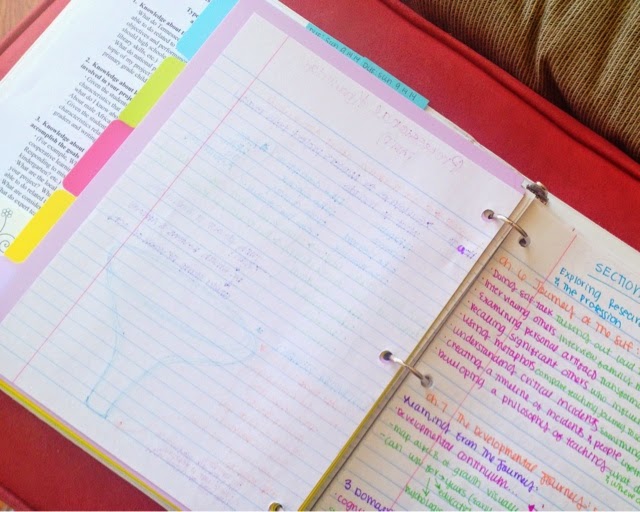
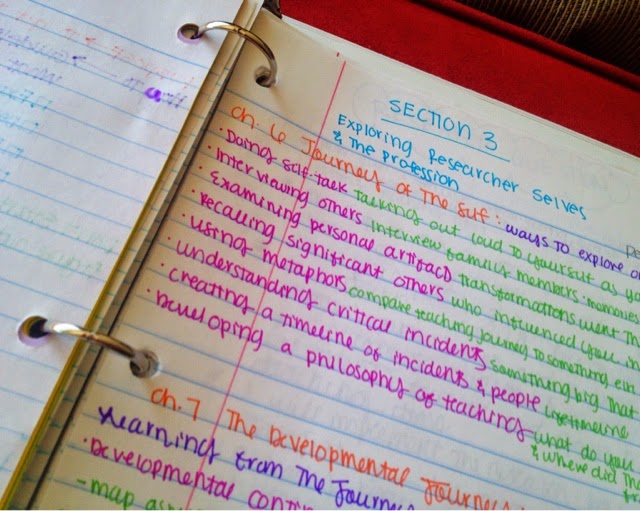
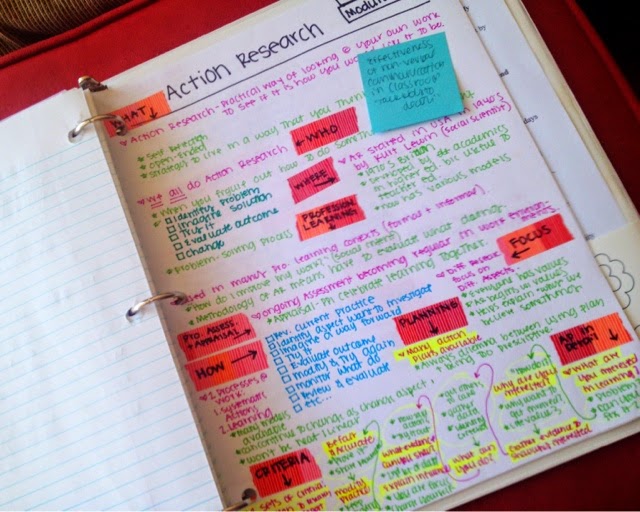
Keeping up with class notes can literally get a little messy sometimes. I didn't start rewriting mine until my junior year of college when my Landforms professor mentioned it... but ever since then, my newly-rewritten, color-coded notes have acted as study guides for upcoming quizzes, tests, and exams! So, knowing exactly where to find what information is super important! And obviously, it required a system! The way it looks has transformed over the years, but the main idea stays the same!


- KNOW ALL OF YOUR UPCOMING EXAM DATES -
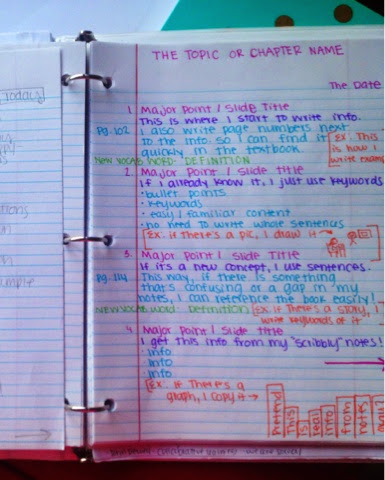
Every semester, there are a certain number of quizzes and exams. They are almost always on the syllabus (I don't think I've ever had a college professor give a "pop quiz")... so there is pretty much NO reason not to be prepared for them! When I rewrite my notes, I try to make them look like a study guide... or an infograph... or something else remotely interesting to look at! Hence, all the different colors, silly doodles, and bullet points! Try to fit as much important info as you can onto one page!


- KEEP ALL OF YOUR NOTES IN THE SAME PLACE -
Then keep all of the notes from every class together and in chronological order! Last year, I tried out a filing system. This year, I'm using a binder. Some years, I just put them in a designated side of my class folder. Different things will work for different people (and different professors' teaching styles), so don't be afraid to change it up! Just be sure to be consistent with whatever system you choose to use! Keeping all the notes together is the most imperative part of keeping them organized!


- LABEL EVERY SINGLE PAGE WITH DATE & TOPIC-
Be sure that each page of notes is labeled with a date and topic header. This will help you quickly flip through the top of your papers as you look for particular chapter notes or notes from a specific time frame! Since tests are usually organized by a few chapters at a time (Chapters 1-4, or 5-8), it's helpful that these notes are all back-to-back wherever you choose to keep them. If you've been writing page numbers in your notes, you probably know exactly which pages the questions will come from, too! 


- INCLUDE GRAPHIC ORGANIZERS & OUTLINES -
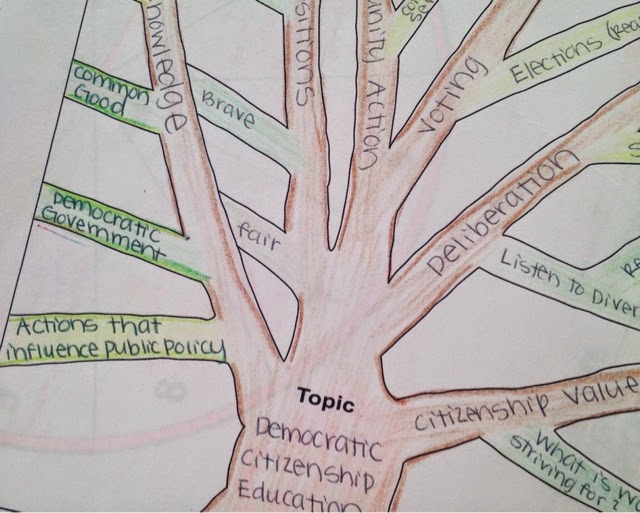
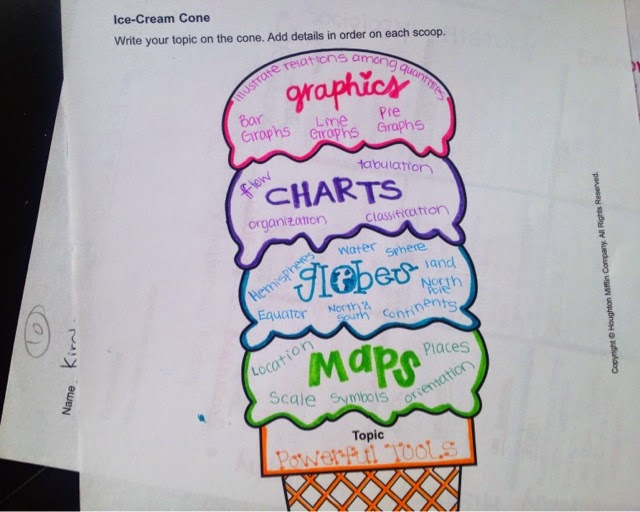
And if you used a graphic organizer to help you rewrite your notes, definitely don't leave that out! Date and label them just like you would any other page of notes! In my opinion, these are some of the most helpful "study guides" because they are just very visually-easy to read. A good combination is to outline the actual textbook chapter and rewrite your class notes using a system that works for you! Between those two documents, you should have all info you need for the exam!


- MOVE "OLD" NOTES AFTER THE EXAM/QUIZ -
Once I finish with a particular section of notes, I either put them in the back of the "notes" section or I paperclip them together to let me know that I'm finished with that information. Don't throw them away! It's always nice to keep them around just in case you need to revisit something in the future... or if you have a (*DUN DUN DUN*) comprehensive exam at the end of the semester! (aka: how you know your professor really hates his/her life and wants you to be miserable, too).

If that's the case, better start those flashcards now!


-MAKE FREQUENTLY-VISITED INFO EASY TO FIND- 
Finally, don't be afraid to use some "mixed media" to help you quickly identify useful information in your notes! Post-It's, Sharpies, Washi tape are all awesome ways to draw attention to information that you'll need to find quickly again (...and again... and again) throughout the semester! At the end of the day, "organization" is a pretty subjective word, so you need to find out what it means to you and implement the best practices for yourself to keep up with the information in your notes!


And even though I joke about comprehensive exams, don't let them stress you out either! Because so much information is covered on them, nothing really gets too in-depth so I actually think they're easier than exams that cover more narrow scopes of information. 

If you don't take away anything else from this post, take away these two things: 
MAKE YOUR NOTES EASY TO READ & KEEP THEM TOGETHER!

Everything else is just the OCD-freakishness-icing-on-the-cake! :) 


How do you keep your notes organized throughout the semester! Do you tear them out of your notebook or just flag the pages? Or if you keep notes on your computer/iPad, how do you save/study them?!

More aboutNote Organization Checklist

Computer File Organization

Posted by yanti on Friday, October 17, 2014


Today�s post is about computer file organization. This is one of those topics where a picture is worth a thousand words� so I�ve included a ton of photos to help explain it! The main rule that I follow for organized computer files is to name every document and file it in the correct place the first time you use it! This way, you will always know where to look for it! I also like to name things by their complete, full, name with a date� just in case there are multiple documents for the same project (which there usually are). 

Here is my desktop screen. I keep one folder for each big thing in my life (you know, the ones that produce a lot of Excel & Word documents). For me, they are school, this blog, and school. For you, they may be each individual class� or sorority commitments� or work. Just whatever the 3/4 (5, 6, 7) biggest document-producing things in your life are right now!


This is my �University of Memphis folder�. I got this computer in 2012, so that�s why these files start there. If a file is active, it�s highlighted in green; if it�s �closed� it�s highlighted in gray. This just makes it super easy for me to click through the correct files more quickly!


Within my �2014� folder, there are two smaller folders, one for each semester.
Within the �Fall� semester folder, there are folders for each of my classes. So, right now I�m kind of considering graduation a class because there are so many deadlines to meet and so much paperwork to fill out that it really feels like an additional class!


This is the only class I�m in this semester (which is how I�ve been able to post almost everyday). Within this class, we are really working on one big project for the entirety of the semester! However, we did still have to do some of those crazy online discussion (they are my nemesis. seriously). But now we�re done with discussions, so the folder is gray. My project is still active, plus this professor sends out additional instructions in his e-mails, so I copy them to Word docs and save them in a folder.


I typically give each large assignment/paper/project its own folder. In this class� case, we have one large (60ish page) paper but we�re writing it about 10 pages at a time. Below are the different sections of the paper that we have worked on so far. The green ones are the ones that are still in progress, whereas the gray ones are the ones that have been approved/finalized. Organizing projects like this enables me to be able to take notes, copy articles, type outlines etc. and to keep them in the folder of the project they�re for. 


For example, this is the �References� folder pictured above. Of course, there are even more folders� I saved any articles that cited strategies in the �Strategies� folder, any articles I�d like to cite in the �Articles� folder, there is an APA checklist (because there is always SOMETHING that�s a space off or not italicized)! Then I also created a couple of Word documents with quotes that I liked or possible references. 


Finally, here is the inside of the �Articles� folder. As you guessed, it contains articles that I�ve downloaded from online. 


Anyway, so that�s it! That is how I�m able to find all of my documents whenever I�m looking for them!

Now if I could just do something about all those 10,000 photos in my computer� :)


How do you organize your computer files? Is this too detailed for you or do you think it would help keep things together? 
More aboutComputer File Organization

Clear to Neutral

Posted by yanti on Wednesday, October 15, 2014


So, this has been one of my long-standing favorite efficiency/productivity/organization rules of all time! It�s called� you guessed it� Clear to Neutral! The cool thing about this rule is that it�s just so simple. And once you begin to notice and practice it, it basically becomes a habit! Not only that, but it is super helpful across all areas of life, not just studying! I think I started this in 2012 when I was having a really hard time making myself do schoolwork and I couldn�t figure out why. The answer? FRICTION.

This was the closest thing I had to a messy picture. Not because my home is never messy� but because I�m definitely not going around photographing it when it is! 

Friction is anything that you have to do before the thing you need to do. Confusing, yes? But I promise, you know exactly what I�m talking about: Let�s say that you want to study, you go wherever it is that you study but it�s covered in junk that you have to move before you can even begin! Or in the morning, I may want to clean my home but what if I have to put away things that were left out overnight? I�m less likely to get to the ACTUAL cleaning because I have to do yesterday�s work first.

And yesterday�s work = Friction.

Clearing my Living Room to Neutral means putting away any glasses, schoolwork, bedroom pillows, shoes etc. so that I don�t wake up to things already out of place. 

And guess what? Friction is a huge contributor to procrastination! And who doesn�t hate procrastination?! So, how can we overcome this and free ourselves of excuses?! That is where Clear to Neutral comes in! The basic idea of this is to leave every space exactly the way you want to find it!

Clearing my closet to Neutral (the hardest) means putting away all jewelry, purses, shoes, dirty clothes in their bag, and hanging up all clean clothes.

For example, I want to easily be able to edit my research paper the next time that I open my computer. In order to do this, I need to save it to a place where I can quickly find it, with a name that I will quickly recognize, and I need to close all of the other open windows or unnamed documents on my computer so that I don�t have to do it next time! Otherwise, they will create friction between me and my schoolwork. And I definitely don�t want that!

Clearing my schoolwork to Neutral means putting every paper back in its appropriate section in every notebook. Then putting all of those notebooks back where they belong. 

Now, whenever I reach a stopping place on a paper/project, I save it and put it in its appropriate folder. I make sure that I put every note from my schoolwork into its appropriate section of my notebook before closing it. That way, when I�m ready to study the next time, I don�t have to look for it or reorganize my notebook. I�ve already done that! I just flip to the correct section, grab my notes, and start! And do a bunch of documents/photos saved on your desktop count as friction? Um� absolutely.
Clearing my office supplies to Neutral means putting every marker, pencil, paper clip, etc. back into its designated container in my �office space�. 

Once you get used to looking for it, you�ll realize that friction can literally be all around us! How about our purses? Holy Chicago! That�s like the Mecca of all friction! Closets? Do you have to pick up a bunch of clothes before you can do laundry or choose an outfit for tonight? Bathroom? What if you have to throw away a bunch of old or empty bottles before you can even spray down the bathtub and counter? Cars? Nope. Definitely no problem with friction in my car (#sarcasm).

Clearing my �office space� to Neutral means putting all office supplies away, updating all to-do lists and calendars to reflect the progress I made during my latest work session. 

Today, go through your day leaving everything the way you want to find it! :) 


Have you ever heard of Clear to Neutral? Do you think it could help you become more productive in your daily life? Or are you already using a similar system? 
More aboutClear to Neutral

Project: Balanced Time Management

Posted by yanti on Tuesday, October 7, 2014


If you�re a crazy OCD-ish person like me, you�re driven by deadlines. Something can be completely unimportant, but the second that someone gives it a deadline it becomes my number one priority! Last month, I had a ton of papers due for my research project. Okay, it was just four; one a week. But I got so caught up in writing them that I literally forgot to eat lunch every day in September. I FORGOT TO EAT. What the heck? Who does that?! I forgot to pay bills. I forgot to return e-mails and phone calls� I was a hot mess.

As I laid (or lay?) in bed one night, unable to go to sleep because my mind was racing thinking of how my non-school-related-to-do-list had gotten impossibly long, I realized that I was feeling overwhelmed because I was unbalanced. It�s so true! School and work are just a part of our lives, yet it�s so easy to zone in on them and feel like that�s all we do! So, stay with me as I get a little hippie-ish for a minute and let�s try to balance out our lives!


According to Feng Shui (told you I was about to get hippie-ish!), there are 9 different areas of our lives:

  1. Work
  2. Relationships
  3. Family
  4. Finances
  5. Health
  6. Spiritual
  7. Creativity 
  8. School
  9. Social 
(by the way, these are reeeally simplified categories... you can read about the complete ones here). 

When we are allotting a somewhat proportional about of time to each section, we feel happy and healthy. However, if we are too obsessed with focused on one aspect of life, we tend to get off balance. And that keeps us from feeling happy! So, if you�re feeling overwhelmed or stressed out, there is a good chance that you�re zoning in on one thing and missing out on something else that you totally need!


To fix this problem, here is what I did: I got out 9 of those small, 2x2 Post-It�s and stuck them on the wall. That�s right, ON THE WALL. They weren�t even color-coded, or anything! See that pink one? It it literally just means that I ran out of blue. I treated these Post-It's like the 9 areas of my life and wrote a category on the top of each note.


Then, I wrote the top 3 most pressing tasks I could think of under each category. Seeing it all organized like that made me feel immediately better! In the Relationship square, I wrote down simple things like going to the park with my husband or cleaning the coffee maker (something that makes him super happy). In the Creativity square, I wrote all of my stuff to do for Organized Charm! Spiritual is probably the easiest one to blow off every day when things get hectic� but I�ve found that, if I make time for it every morning, I really have a more positive attitude throughout the day!


BTW, this is actually my to-do list for today� Don�t you just love it when you have to schedule in time to �shower�? 


Finally, let�s just work on spending an *equal* amount of time on each square! It may even be 10 minutes but, hey! We can accomplish more than we think in 10 minutes! In the future, let's try to start managing our time like this everyday! Balanced lives are happy and productive lives!

And I love to be happy and productive, don�t you? :)

Do you ever feel like you�re �zoned in� on one aspect of life? How do you balance and  keep up with everything? 
More aboutProject: Balanced Time Management